Use Cases

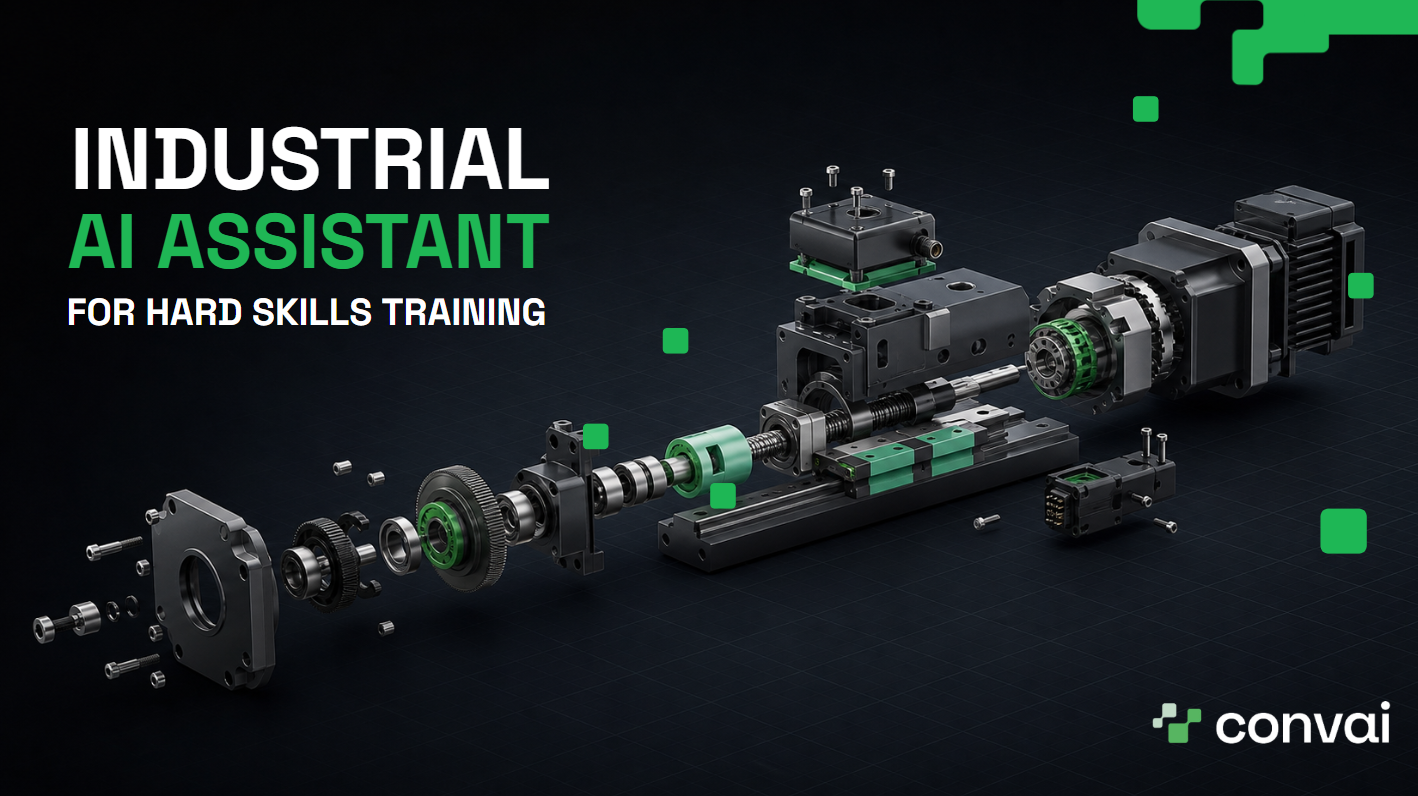
A new hire stands beside an unfamiliar machining cell at 6:40 a.m., tablet in hand. The setup sheet covers the scheduled changeover, but an alarm on the control panel does not match the example. She checks the manual. She opens the work instructions. She calls the technician who has handled the fault before, and he is helping another crew. Her team pauses the job.
That pause is the problem this article is about.
Deloitte and The Manufacturing Institute estimate that US manufacturers may need 3.8 million additional workers between 2024 and 2033, with 1.9 million of those roles at risk of going unfilled, and 65% of manufacturers name attracting and retaining talent as their top business challenge. Plants cannot close a gap that size by asking experienced people to answer each question face to face.
An industrial AI assistant puts approved procedures, visual context, and expert knowledge at the point of work, so a new hire moves through more tasks without waiting for a specialist.
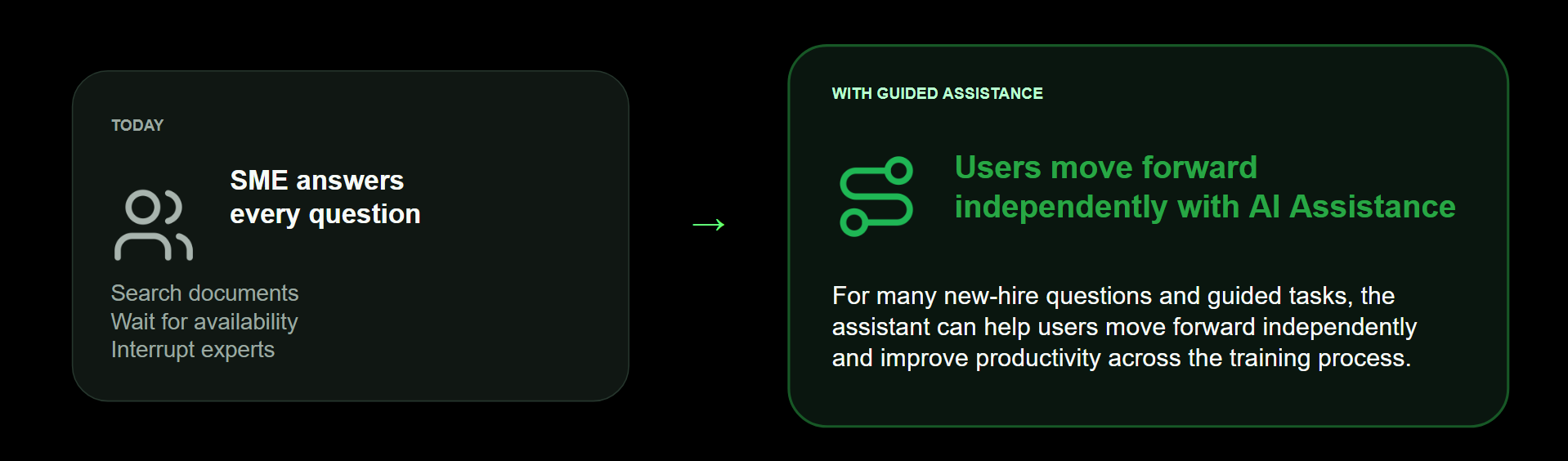
Procedures span many pages. Exceptions sit outside the manual. New hires lack the context to choose the right page. Experienced technicians become the search engine for the floor: they stop their own work, answer a question, resume, and stop again when the next edge case appears.
The Manufacturing Institute and Deloitte have also projected that 2.6 million workers will retire over the next decade. In precision manufacturing, what leaves with them is judgment built through years of repairs, inspections, changeovers, and near misses. Capturing that knowledge before those experts go is a workforce problem with a short window.
A maintenance trainee sees a pressure reading outside the normal range after replacing a filter. The written procedure lists the target range and says nothing about which of three upstream checks comes first. A senior technician records the reasoning once, links it to the procedure, and adds images or video. The assistant retrieves that approved guidance the next time another worker describes the same condition.
The shift is in who repeats themselves. Subject matter experts review and improve the guidance rather than delivering it across three shifts. New hires handle common questions without waiting. Time to proficiency comes down without lowering the standard of work.
Also read: The Future of L&D Is Conversational: How AI Avatars in XR Deliver Personalized, Scalable Training; the same argument applied to structured training programs rather than the point of work.
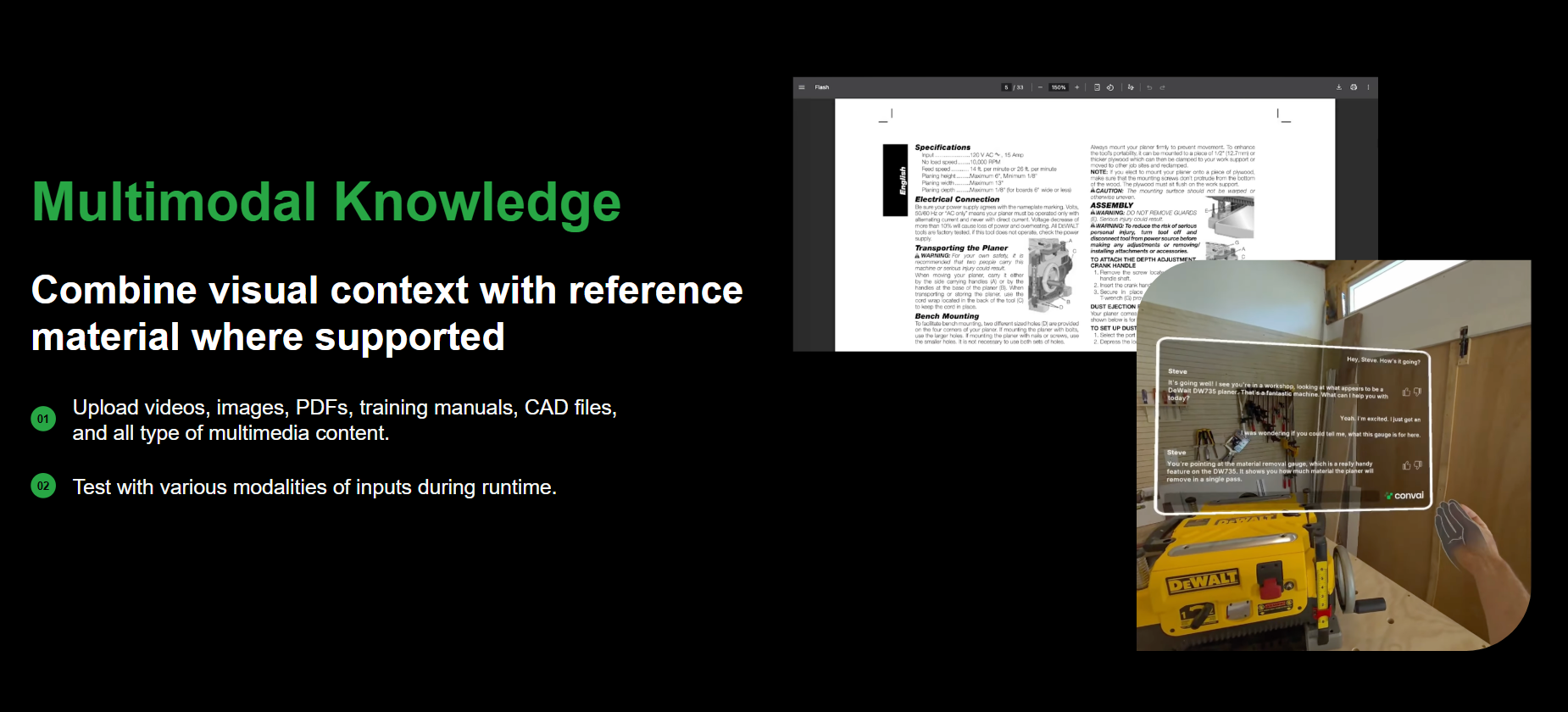
Manufacturing teams hold their operational knowledge in PDFs, manuals, slide decks, videos, technical images, CAD files, and 3D models. The material exists. Finding the right fragment and applying it to the task in front of you is the hard part.
Convai's Knowledge Bank brings those materials into one answerable layer. Upload documents, PDFs, manuals, technical images. Even CAD files and 3D models (via Assembly Studio), and videos, and the agent draws on that approved material during conversation. The worker asks a task question without opening several repositories.
The retrieval side matters as much as the upload side. Convai's in-context knowledge bank keeps multimodal source material available to the agent during the conversation rather than reducing everything to text snippets, which is what lets a worker ask about a diagram and get an answer about that diagram.
An operator replaces a seal inside a pump assembly. The manual shows the sequence, a short video shows the hand position, and a technical image marks the correct orientation. He asks which face of the seal points toward the housing. The agent answers for that step, from the material his own plant approved.
The value runs both directions. Workers get an answer from sources they trust. Experts get a defined place to review those sources and correct the gaps they find.
Also watch: Convai In-Context KB: Multimodal Knowledge for AI Characters | Multimodal Understanding
A long manual explains a machine. It does not help a worker identify the part named in step 14. Convai ingests CAD files, auto-tags parts, identifies components, and connects those components to uploaded manuals, videos, images, and product documentation. That connection is what turns a model into something a worker can ask questions about.
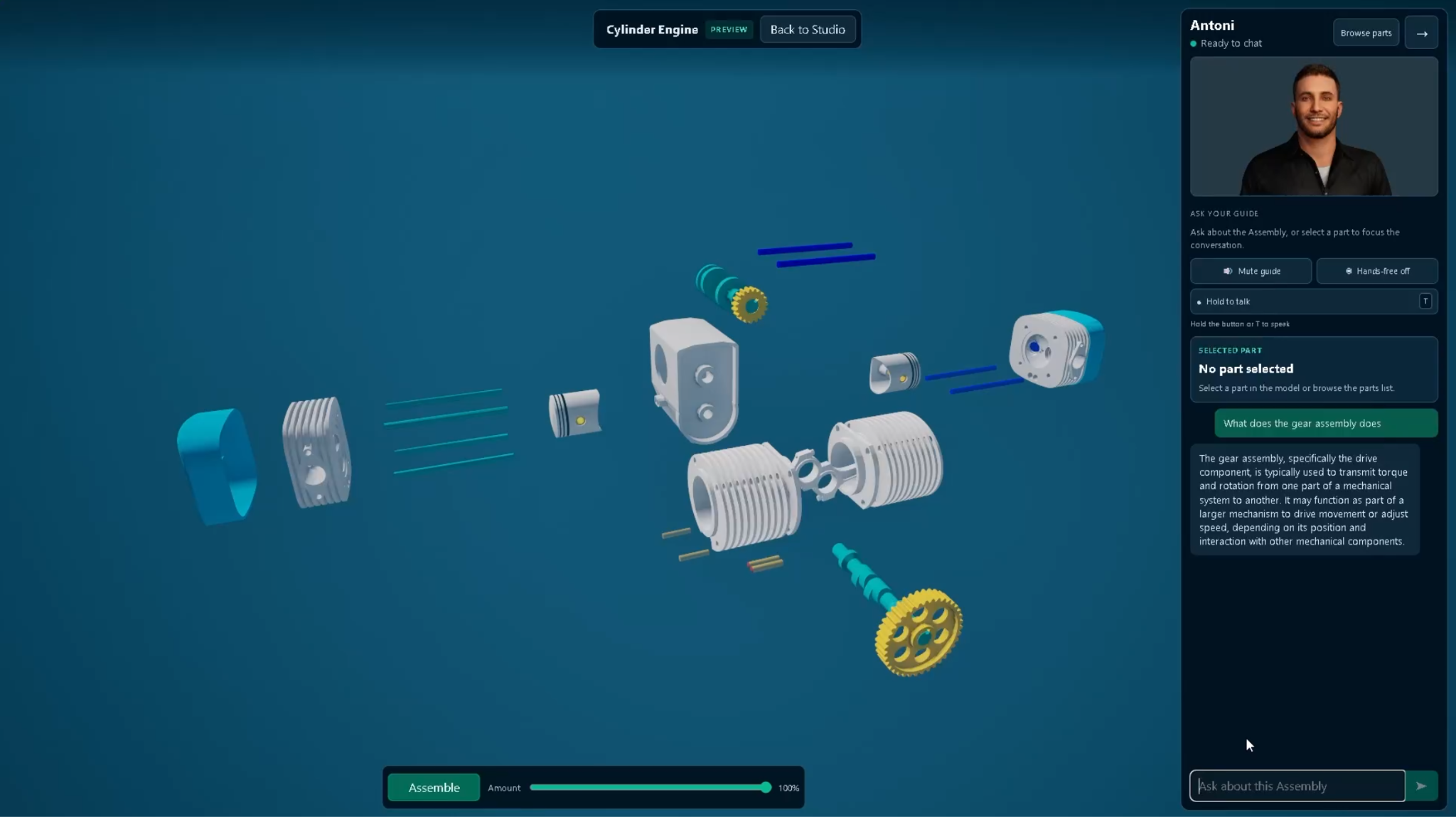
Assembly Studio is the interface for CAD-based assemblies. A worker inspects the model, explodes the assembly, sees how components fit together, and asks the agent about the machine while looking at it.
A technician preparing to remove a drive housing opens the assembly, isolates the housing and fastener group, and asks which fasteners release the cover and which part supports the shaft after removal. The agent answers within the context of that assembly, using the selected part tags and the connected procedure. She verifies components and sequence before touching the equipment.
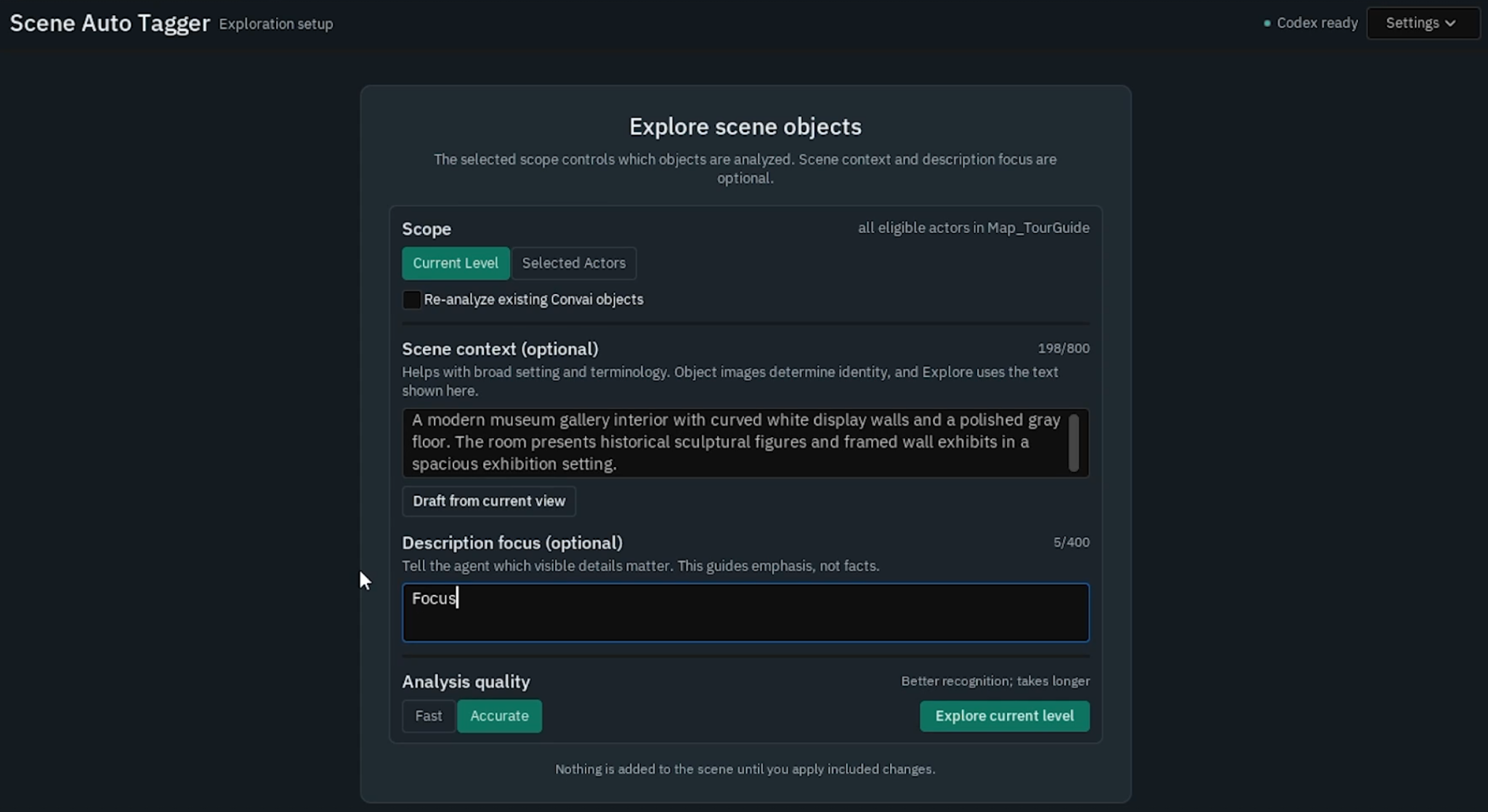
Scene Tagger tags and explains important objects and areas inside a 3D environment, which is what makes guided walkthroughs and equipment familiarization work as more than a fly-through.
Part-level context is where a CAD-aware assistant separates from a document search tool. The worker moves from a visible part to its procedure inside one conversation, then returns to the physical task with the component and sequence confirmed. The reasoning layer underneath is the same one described in Convai's always-on agentic architecture.
Assembly Studio and Scene Tagger do not have public documentation pages yet. Book a walkthrough to see them against your own CAD files.
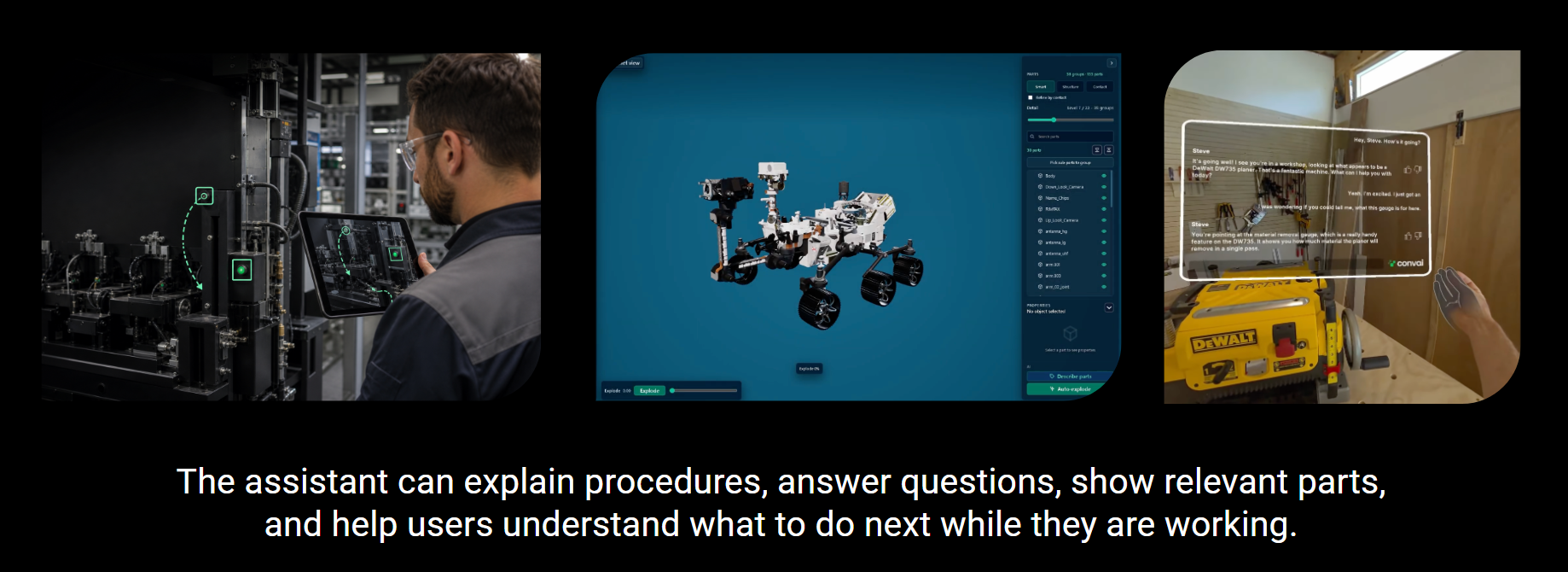
Operators in equipment-heavy industrial operations work beside machines, along inspection routes, and inside training areas. The World Economic Forum, using International Labour Organization workforce figures, puts the non-desk workforce at about 80% of the global total, some 2.7 billion people. Any assistant meant for these teams has to run on the devices they already carry.
With camera-based guidance, a worker points a phone, tablet, or computer camera at the equipment and asks what to do next. The agent reads the live view alongside the uploaded knowledge and frames its response around both. The worker asks which part to remove, which visible control to use, or what step follows the work on screen.
An operator two steps into a changeover cannot match the next diagram to the control panel. He holds up a tablet and asks which control the procedure means. The camera supplies the visual context, the agent retrieves the approved instruction, and the answer is tied to the equipment in front of him. The alternative is leaving the task, searching a manual, and calling an expert for a routine question.
Camera guidance keeps the procedure and the machine view in the same conversation, which is where faster decisions come from.
Also read: Build Vision-Based Conversational AI Characters in Unity and Streaming Vision + Hands-Free Voice Interaction in Unreal Engine
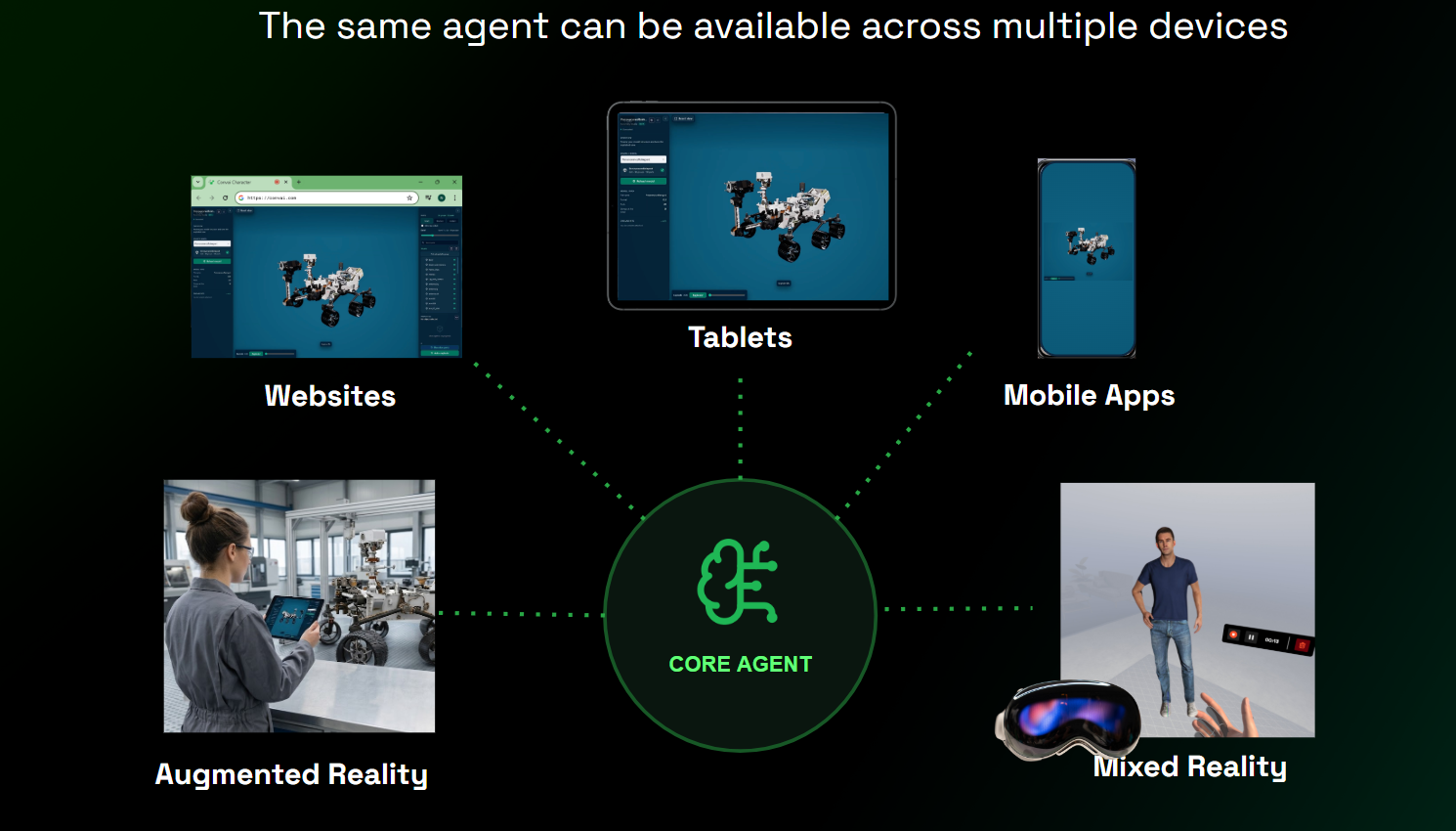
The same core agent supports several ways of working. A trainee inspects a CAD assembly in Assembly Studio, explores a digital twin in Convai Sim, speaks with an optional character through Avatar Studio, uses text or voice in a browser, or works inside a custom application. Knowledge and data connections stay consistent across all of them.
A new hire reviews an exploded model on a laptop before the shift, uses tablet camera guidance beside the equipment, then enters an XR training simulation for a procedure that needs spatial practice.
Browser experiences run on laptops, phones, and tablets. AR runs through a browser camera or a dedicated application. XR headsets need a dedicated application, because of how far they integrate with the hardware.
Convai Pixel Streaming delivers experiences from cloud servers to user devices, and on-premise options cover teams that need private infrastructure. Employees use mobile devices or laptops without a high-end workstation at each point of use, and operations teams choose the device and deployment model that fit the task.

Security belongs in the deployment plan from the start, not at the end of procurement. Convai holds ISO/IEC 27001:2022 certification and SOC 2 Type II compliance. Enterprise clients own and control their input and output data, choose deletion or retention, isolate traffic from developer tiers, set service-level terms, and discuss regional or on-premise deployment requirements. Certification and third-party audit materials are available during a security review.
Content control sits alongside infrastructure control. Guardrails bound what an agent will discuss, so a maintenance assistant stays on maintenance. Data handling terms are in the privacy policy.
Developers reviewing Convai before a rollout have a marketplace record to check. The Unreal Engine plugin on Fab averages 4.6 out of 5 across 108 ratings. The Unity Asset Store listing carries 154 ratings and holds Unity Verified Solution status.
Integration paths exist for Unreal Engine, Unity, Three.js through the Web SDK, and NVIDIA Omniverse, so development teams evaluate the platform on their own stack before committing.
An industrial AI assistant is a conversational system that gives frontline workers approved guidance during training, troubleshooting, inspection, assembly, and other equipment-centered tasks. It draws from manuals, videos, images, CAD assemblies, 3D models, and live camera input. Workers reach it through text, voice, an avatar, a browser, a tablet, AR, XR, or a custom application.
It gives new hires a direct way to ask task-specific questions and get guidance from approved company knowledge while they work. Teams capture expert explanations, connect them to procedures, and reuse them across shifts. New hires spend less time searching files or waiting for an experienced technician, and experts spend their time on exceptions and high-risk decisions.
Convai ingests CAD files, tags parts, identifies components, and connects those parts to manuals, videos, images, and product documentation. In Assembly Studio, a worker inspects or explodes an assembly and asks questions about a selected component. The system maps part-level context to the relevant knowledge and keeps the assembly available as an interactive reference.
No. Workers use Convai in a browser on a laptop, phone, or tablet, and camera-based guidance runs through supported browser or application experiences. Teams build dedicated AR applications when the workflow calls for one. XR headsets need a dedicated application because they integrate further with the hardware. Working examples of both browser and headset experiences are featured in the Convai Experience Page.
Three things set the timeline. How much source material needs preparation, whether workers reach the assistant through a browser or a dedicated application, and how many work cells you start with. A browser-based pilot using material a team already holds moves fastest, because no application build sits in the path. Deployments that need AR or XR applications, on-premise infrastructure, or integration with existing maintenance and documentation systems need a longer runway. Most teams start with one work cell or one procedure family and expand from there, which keeps the first review cycle short enough to learn from.
Someone on your side owns it, and naming that person before launch matters more than the title they hold. In most deployments it is a training lead or a senior technician who already reviews procedures. The work is steady rather than heavy: add material as equipment and processes change, correct guidance when a worker flags a gap, and retire content that no longer applies. Character versioning gives that owner a way to snapshot the assistant's configuration before a change and restore the previous state if the floor reports a problem.
Budget for a review cadence in the rollout plan. An assistant answering from documentation nobody has touched in a year carries the same risk as a binder nobody has updated.
Convai meters three things. An interaction is counted each time a user sends input and the character responds, in text or voice. Character concurrency is the number of people able to hold a session at the same time, and the limit applies to the API key rather than to each character, so ten characters sharing one key still share one concurrency pool. Monthly active end users caps how many unique people reach your characters in a billing period. Interaction quotas reset each billing cycle and unused interactions do not roll over.
Plans and their limits are on the pricing page, the credit calculator estimates consumption before you commit, and deployments that exceed the published tiers are scoped with the Convai team.
A document chatbot uses uploaded text as its main context. Convai combines the knowledge bank with part-level CAD context, 3D scene tags, live camera input, voice, avatars, and real-time interaction across devices. A worker asks about the component in view or the next step in a physical task, which gives the response operational context a text-only system does not have.
Convai holds ISO/IEC 27001:2022 certification and maintains SOC 2 Type II compliance. Enterprise deployments support data ownership and control, isolated traffic, agreed service levels, and options for regional or on-premise requirements. Customers request certification and third-party audit materials during security review.
The fastest way to judge fit is to put your own material in front of it. Bring a manual, a training video, and one CAD assembly, and see what the assistant does with them. Talk with the Convai team about an industrial AI assistant for your production environment.
Prefer to look first? Read the Knowledge Bank documentation, browse more build guides on the blog, or start building in the Convai Playground.


